Post · Art · Journey
CorrespondArt
Mail a physical art card to someone, and give it a digital life: a card page, a postmark for every step, and photos captured at both ends of the trip.
How It Works
A Card's Whole Journey
- 1
Create the card's page
Start in the editor: give the card a title and write its note in Markdown. That becomes the card's own page — the note, a gallery for the making-of, and controls to keep it private, share the photos only, or open it fully with an optional password.
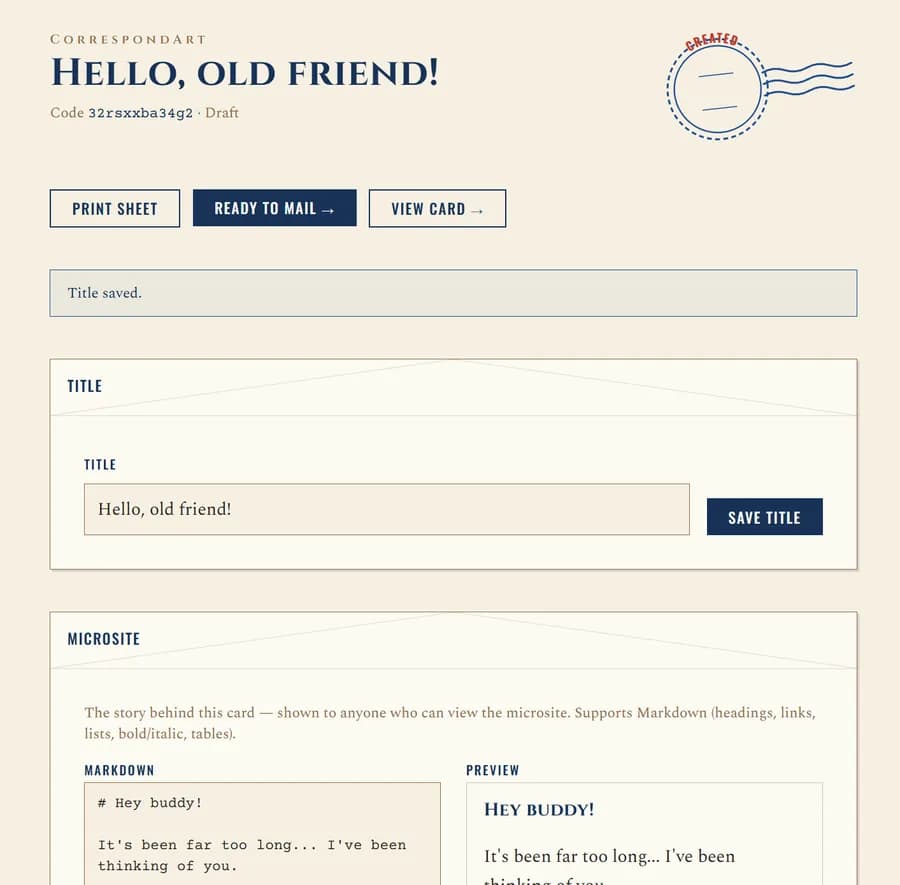
The card editor · title & note
- 2
Print the code & mail it
Print the sheet with the card's short code and QR, fix it to the back, then photograph the front and back before it goes in the post. Marking it mailed lays down the first postmark of its journey.
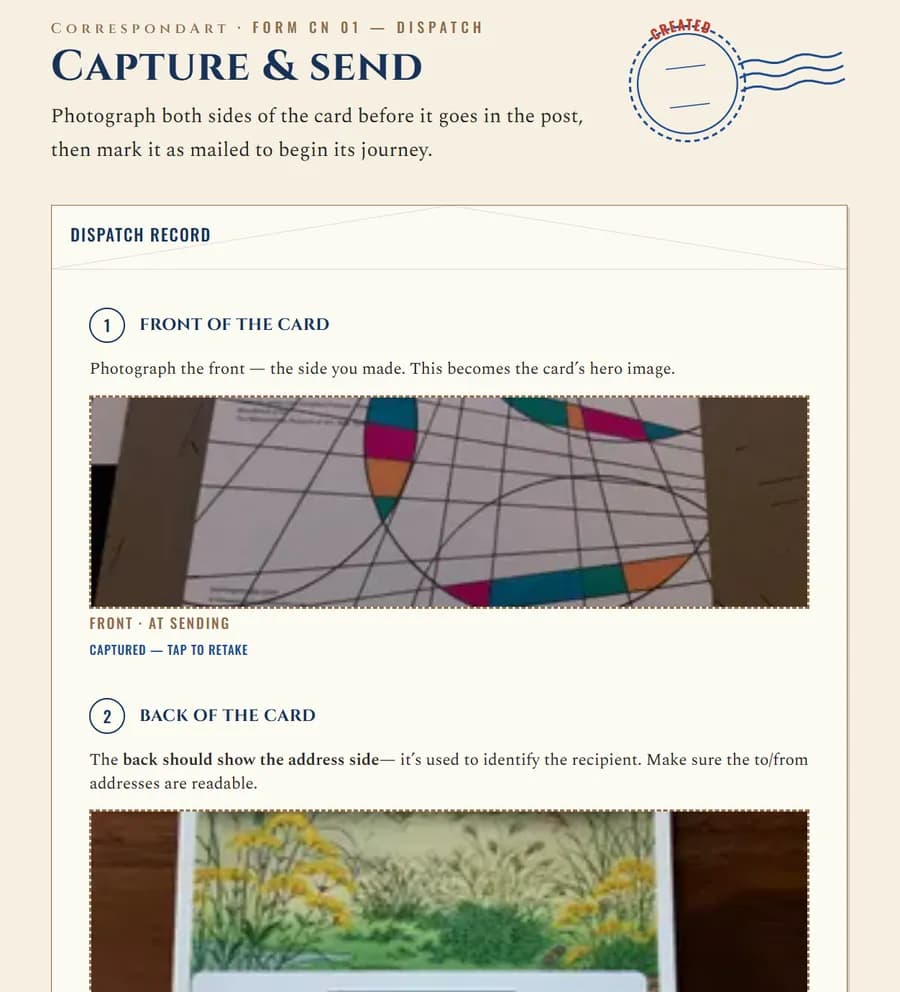
Dispatch · capture front & back
- 3
Scan & receive
Then the best part: one day it turns up in a real mailbox, unannounced. The recipient scans the code to accept it and capture the moment it arrives. Now both ends of the trip sit side by side — front and back, each stamped with the time and place its photo was taken.
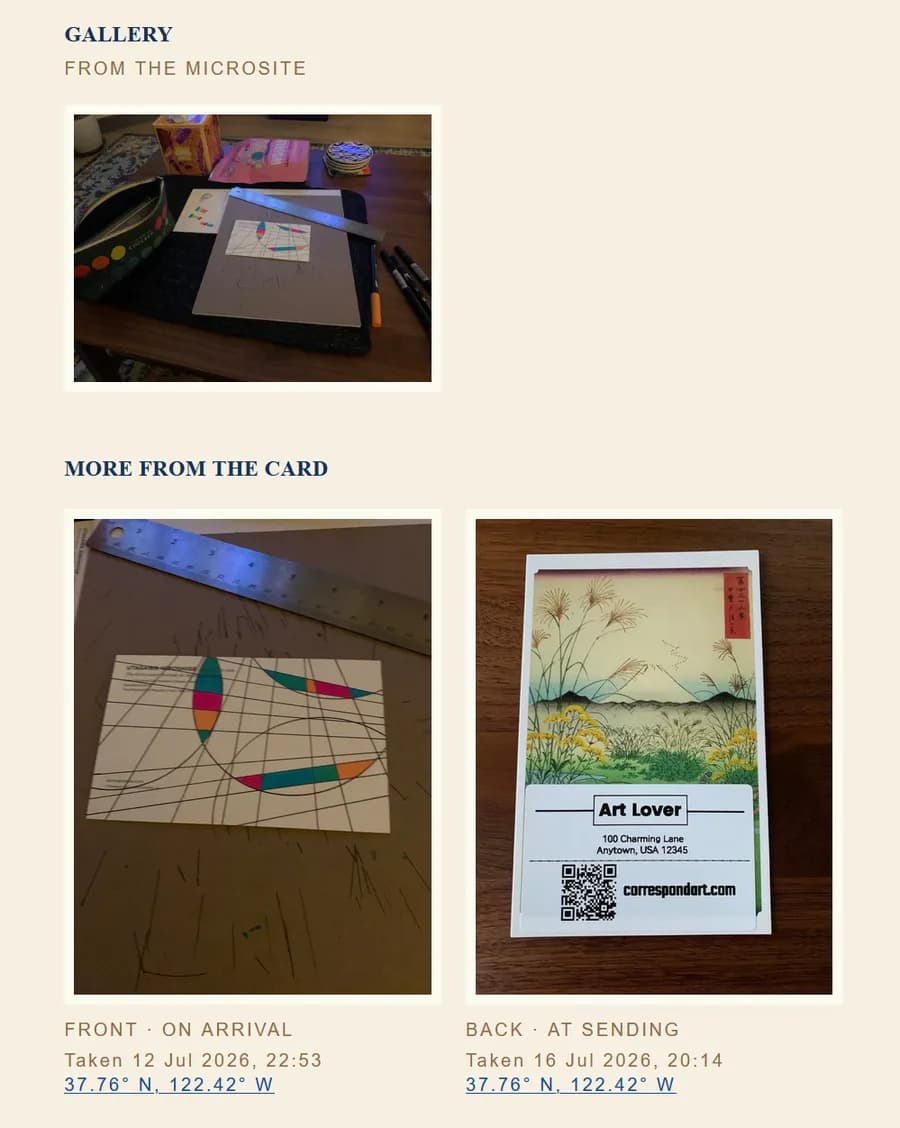
On arrival · both ends, front & back
- 4
The journey lives on
Everything settles onto the card's own page: the photos, a postmark for each leg of the journey, and the note. A small piece of postal history for sender and recipient alike — and it joins the growing collection on each of their dashboards.
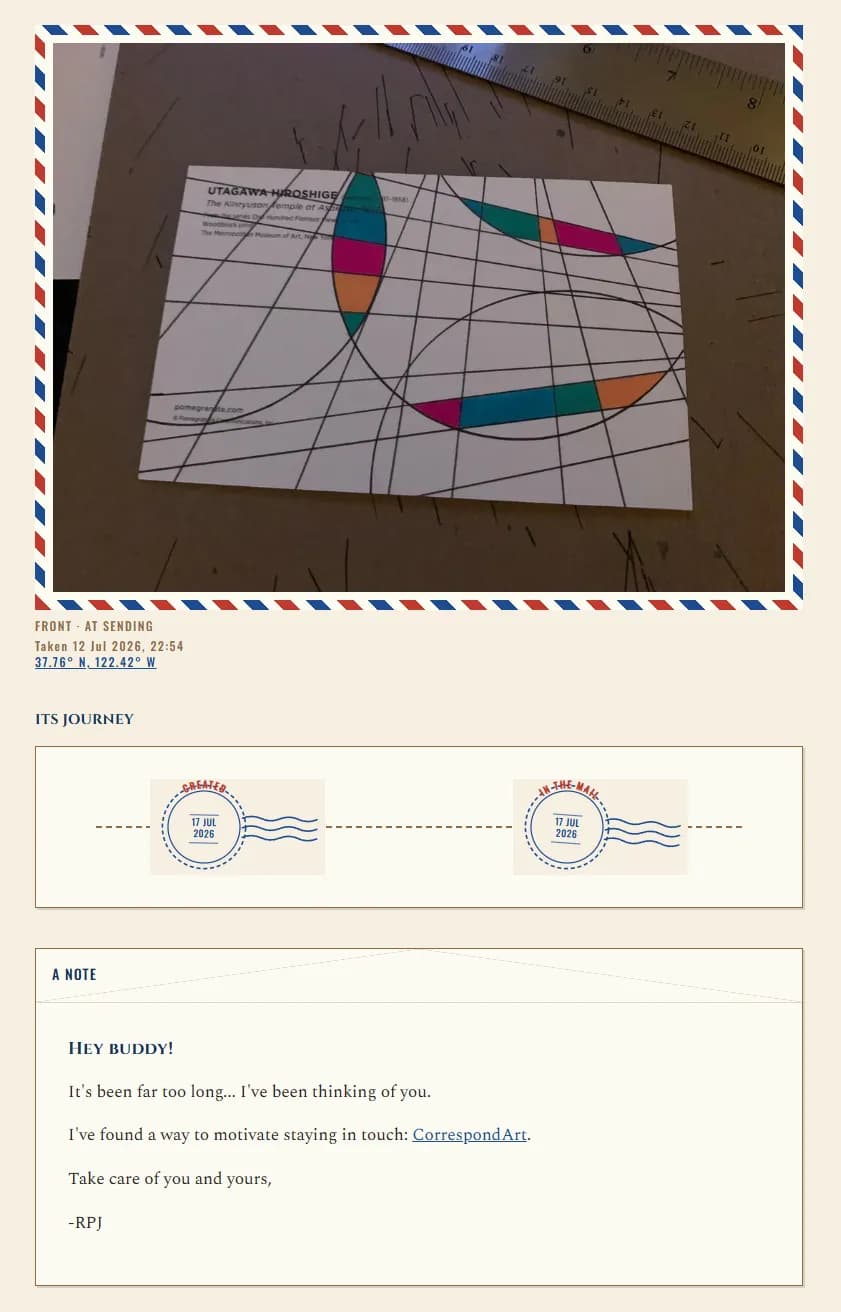
The card page · journey & note